Augmented Reality in Manufacturing: Uses, Evidence, and Where VR and MR Fit

Updated: 1 day ago
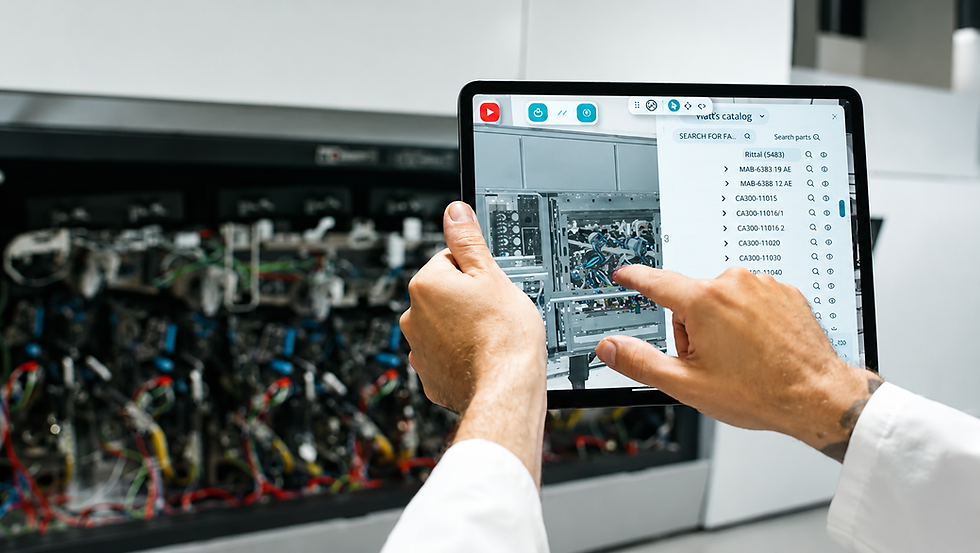
Augmented reality in manufacturing shows digital instructions, 3D models and live data on top of real equipment, on a tablet, phone or headset. Manufacturers use it mainly for assembly and maintenance instructions, remote expert support, training and inspection. Research most consistently shows fewer errors; time savings depend on the device and on how familiar workers are with it. Virtual reality suits training away from the line, and mixed reality places interactive digital twins in the real workspace.

What is augmented reality in manufacturing?
Augmented reality (AR) in manufacturing is the use of a camera-equipped device to place digital content, such as step-by-step instructions, arrows, 3D parts and machine data, in a worker's view of the real equipment. The worker sees which bolt to remove or which connector to check, in place, instead of matching a drawing in a manual to the machine in front of them.
AR runs on tablets and phones, which most plants already have, and on head-mounted displays, which keep both hands free.
What is the difference between AR, VR and MR in manufacturing?
Augmented reality | Mixed reality | Virtual reality | |
What the worker sees | The real equipment, with instructions and data on top | The real space, with interactive 3D models anchored in it | A fully virtual environment |
Typical devices | Tablets, phones, smart glasses, headsets | See-through or passthrough headsets | VR headsets |
Best for | Work instructions, maintenance, remote support, inspection | Training and inspection on a digital twin in the real space | Training before the machine is available, design and layout reviews |
Used at the machine? | Yes | Yes | No |
Many manufacturers use all three with the same digital twin: VR or MR for training, then AR for guidance at the real machine. For a closer look at headsets, see industrial smart glasses.
How is augmented reality used in manufacturing?
The main uses are maintenance, assembly, training and inspection. A 2025 scoping review of 38 industrial AR studies published from 2019 to 2024 found maintenance to be the most researched of these (Miranda et al. 2025).
Work instructions for assembly, changeovers and quality checks, shown step by step at the workstation
Maintenance and repair: service procedures overlaid on the machine, with checklists and photo records
Remote assistance: an expert sees the technician's view and marks up what to do, without travelling
Training and onboarding: practising procedures on a digital twin before touching the real machine
Inspection: guided checks with recorded results
Parts identification: finding the right spare part on a 3D model and ordering it

Does AR reduce errors and assembly time?
AR most reliably reduces errors. Time savings are less consistent and depend on the device and how familiar workers are with it.
Across 55 case studies: a 2024 systematic review found that head-mounted displays, projectors, tablets and monitors all produced fewer errors than traditional instructions, while smartphones performed about the same. Task time improved with projectors, tablets, monitors and smartphones, but head-mounted displays were slower than traditional instructions in eight case studies, which the authors attribute to operators being unfamiliar with them. Most of the studies were run in labs, and none included operators over 50 (Belsito, Franciosi, and Di Pasquale 2024, 18–23).
With repetition: in a 2025 field experiment, 23 automotive apprentices repairing car windshields were no faster with smart glasses than with a smartphone on their first attempt, but significantly faster on a repeat four weeks later: 34.9 minutes vs. 40.1 minutes (Gürerk, Bohné, and Alvarez Alonso 2025, 4–5).
With richer instructions: in a 2026 study, 30 people assembling a heat pump for the first time on a head-mounted display made significantly fewer errors when each step combined 3D models, photos and videos than when it showed a single, minimal visual, with no difference in assembly time (Klein et al. 2026).
The practical lesson is to judge a pilot on errors and rework first, and to measure time over several sessions rather than the first one.

How can AR improve work instructions in manufacturing?
AR improves work instructions by showing each step on the equipment itself, so workers do not have to translate a 2D drawing into the 3D machine. To get the error reduction the research reports:
Start from the approved procedure and the CAD model you already have.
Give complex steps more than one cue, such as a highlighted 3D part plus a photo or short video. First-time users made fewer errors with this approach (Klein et al. 2026).
Keep simple steps short, so workers are not slowed down by content they do not need.
Record step completion and errors, so you can see where people struggle and fix those steps.
For how teams build this content without developers, see AR authoring tools.
How is virtual reality used in manufacturing?
Virtual reality is used for training, design reviews and planning, away from the production line. Trainees can practise a procedure on a digital twin of a machine that has not been delivered, is in use, or is too dangerous to practise on. Engineering teams can review a design or a line layout at full scale before anything is built. VR is not used for live work at the machine, because it blocks the view of the real environment. See immersive learning for training uses.
How is mixed reality changing manufacturing workflows?
The main challenges are the learning curve, high initial costs and hardware limitations (Miranda et al. 2025):
Headset comfort: operators in the reviewed case studies disliked headsets for their weight, bulk, restricted view, headaches after long use and poor brightness in strong light, while projectors and tablets got positive feedback (Belsito, Franciosi, and Di Pasquale 2024, 22)
Unfamiliarity: first sessions can be slower, so pilots need more than one session
Content creation: building and updating AR content for hundreds of procedures takes time unless experts can author it themselves without code
Connectivity: live remote support needs a network; procedures should also work offline where coverage is poor
Device lock-in: content built for one headset has to be rebuilt when that headset is discontinued

How do you start with AR in manufacturing?
Start small, on devices you already have, and measure:
Pick one procedure with frequent errors, rework or expert travel.
Run it on tablets, phones or PCs first, to prove the content and the business case before buying headsets.
Measure errors, rework and time against your current method, over several sessions.
Add headsets for the jobs where both hands are needed.
Scale with content your experts can update, and publish it to every device you use.
Where does Frontline ONE fit?
Frontline ONE is a browser-based, no-code XR platform for industrial equipment manufacturers. It turns CAD files and documents into digital twins, step-by-step Interactive Flows, remote assistance and parts catalogs. Everything except the XR modes works in a web browser with nothing to install, and the same content runs in AR, MR and VR on supported headsets (devices).
Devices: HMS SiNGRAY G2, XREAL AURA and Meta Quest 3 headsets, iOS and Android phones and tablets, PC and Mac, and web browsers, plus existing HoloLens 2 deployments
Content from what you have: CAD to digital twin with no coding, supporting more than 30 CAD formats; Doc to Flow turns PDFs and Word files into guided procedures for expert review
Offline and low bandwidth: offline-capable workflows are supported; downloads, synchronization and uploading results need a connection
How HP uses it. HP's xRServices program runs on Frontline ONE. HP's 2024 case study reported more than 1,000 users, counting HP staff and HP customers together, and Ayush Jain, who leads xRServices, has said that building content once for any platform cut HP's content costs by five times (HP case study).

Start a free trial of the Frontline ONE platform — no credit card required.
Frequently asked questions
What are examples of augmented reality in manufacturing?
Common examples are step-by-step assembly instructions shown at the workstation, maintenance procedures overlaid on a machine, remote experts marking up a technician's live view, training on a digital twin, guided quality inspections, and finding spare parts on a 3D model. Maintenance is the most researched use (Miranda et al. 2025).
Is AR better on a headset or a tablet?
It depends on the task. In a 2024 review of 55 case studies, tablets improved both errors and time, while headsets reduced errors but were slower in several studies because workers were unfamiliar with them (Belsito, Franciosi, and Di Pasquale 2024). Use headsets when both hands are needed; start on tablets otherwise.
What is the ROI of AR in manufacturing?
It depends on what AR replaces: errors and rework, expert travel, training time or content production. Published studies are mostly small and lab-based, so measure your own baseline and compare over several sessions. HP has reported a fivefold cut in content costs from building content once for every platform (HP case study).
Do you need developers to create AR content?
Not with a no-code authoring platform. Subject-matter experts can build AR procedures from existing CAD files and documents, then review and publish them. Developers are needed only for custom applications. See AR authoring tools.
References
Belsito, Chiara, Chiara Franciosi, and Valentina Di Pasquale. 2024. “The Impact of Augmented Reality Devices on Operator Performance in Manufacturing Contexts.” Management and Production Engineering Review 15 (1): 12–34. https://doi.org/10.24425/mper.2024.149987.
Gürerk, Özgür, Thomas Bohné, and Guillermo Alvarez Alonso. 2025. “Productivity and Learning Effects of Augmented Reality Head-Mounted Displays.” Computers in Human Behavior Reports 18: 100638. https://doi.org/10.1016/j.chbr.2025.100638.
Klein, Yannick, Leon Paul Mondrian Munz, Maximilian Mushoff, Eva-Maria Grommes, and Anja Richert. 2026. “Redundant or Minimal? A Comparative Study of Augmented Reality Visualization Concepts for Manual Assembly.” Virtual Worlds 5 (1): 14. https://doi.org/10.3390/virtualworlds5010014.
Miranda, Alba, Aracely M. Vallejo, Paulina Ayala, Marcelo V. Garcia, and Jose E. Naranjo. 2025. “Enhancing Industrial Processes Through Augmented Reality: A Scoping Review.” Future Internet 17 (8): 358. https://doi.org/10.3390/fi17080358.